Credit memo auto-apply controls
Minor Upgrade
❗ Important: This feature is currently in Early Availability (EA). For more information on feature status, see Product lifecycle phases.
With this release, Marketplace Managers get two levels of control over credit memo auto-apply. Previously, the platform automatically applied open credit memos to new invoices by default.
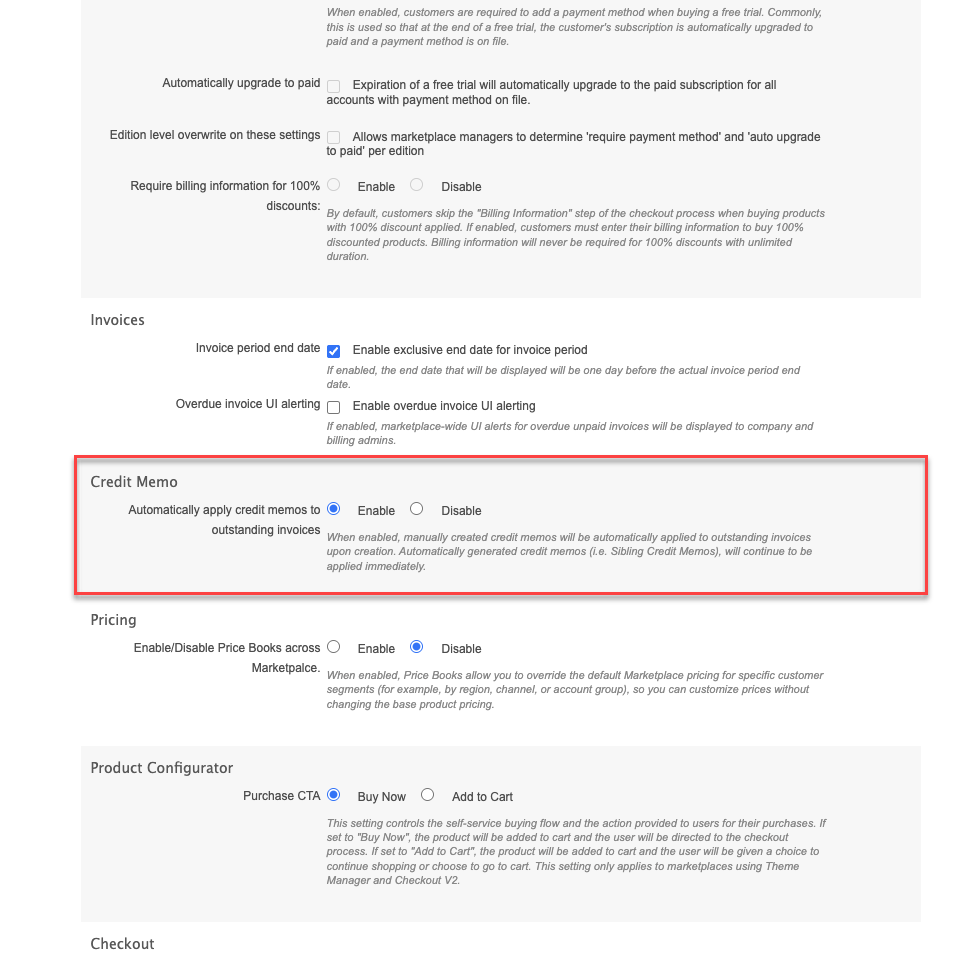
- Automatically apply credit memo to outstanding invoices — A billing setting that turns marketplace-wide auto-apply on or off.
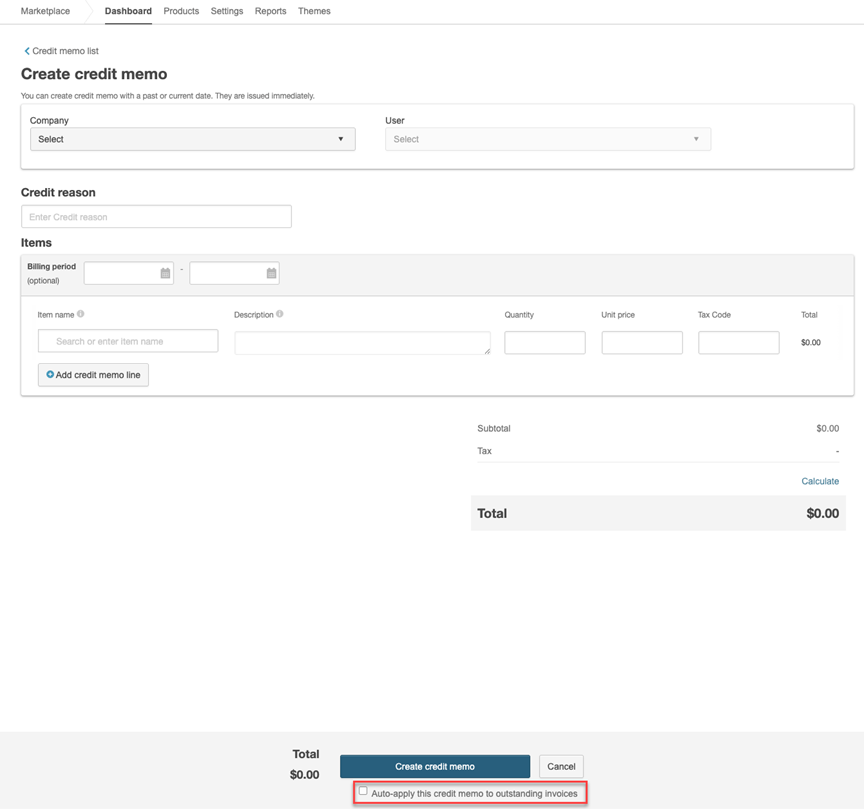
- Auto-apply this credit memo to outstanding invoices — A checkbox on the credit memo creation screen that controls auto-apply for a specific credit memo.
Key highlights
- Automatically apply credit memo to outstanding invoices is enabled by default to preserve existing behavior. Marketplace Managers can disable this setting to manually manage how credit memos are reconciled against invoices.
- When the setting is enabled, the per-memo checkbox appears on ad hoc and from-invoice credit memo creation flows.
- The per-memo checkbox default mirrors the marketplace-level setting. Marketplace Managers can override it during credit memo creation.
- When the marketplace-level setting is disabled, the per-memo auto-apply option is unavailable. Marketplace Managers can still manually apply credit memos to invoices.
- Override notice text appears when the per-memo selection differs from the marketplace default.
- The marketplace-level setting applies at the time of application, regardless of when the credit memo was created.
- Changes to the marketplace-level setting are tracked in the audit log.
UI updates
-
Marketplace-level setting — Manage > Marketplace > Settings > Billing > Credit Memos > Automatically apply credit memo to outstanding invoices
-
Per-memo controls — Available when the marketplace-level setting is enabled:
- Manage > Marketplace > Billing > Credit Memos > Create Credit Memo
- Manage > Marketplace > Billing > Invoices > invoice number > Create Credit Memo
Known limitation
- Per-company overrides and self-serve opt-outs for company admins are not included in this release.
- Editing existing credit memos or bulk-toggling auto-apply states is not included.
- Configurable application order logic, such as FIFO or proration, is not supported.
Feature enablement
This feature is not enabled by default. Contact your AppDirect technical representative to request it.
Setting enablement
When the feature is enabled, Automatically apply credit memo to outstanding invoices defaults to on. Marketplace Managers can change it under Manage > Marketplace > Settings > Billing > Credit Memos.
Documentation
Documentation will be updated with the release.
Was this page helpful?
Tell us more…
Help us improve our content. Responses are anonymous.
Thanks
We appreciate your feedback!